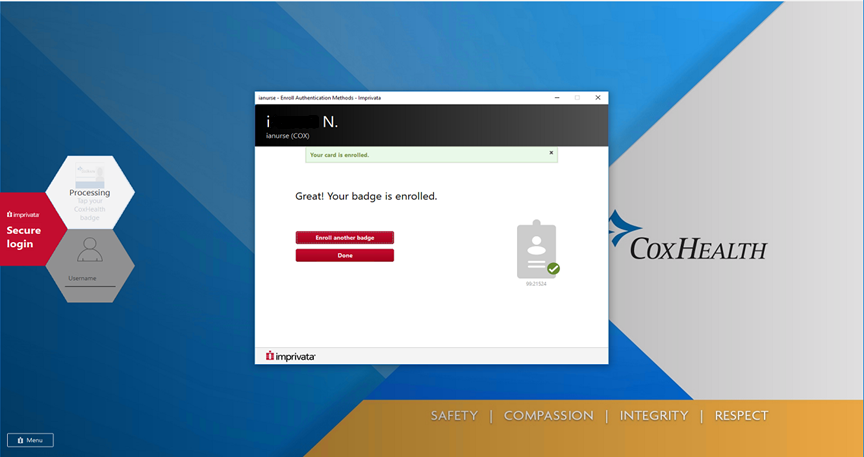
Enrolling a Badge Into Tap-n-Go.
New Lock Screen. What the PC will look like when walking into a room.

The first time you log into Tap-n-Go, or anytime you receive a new badge, you must enroll that badge. Tap badge reader that is connected to PC with your badge and you will see the below prompt. Click ‘Ok’.
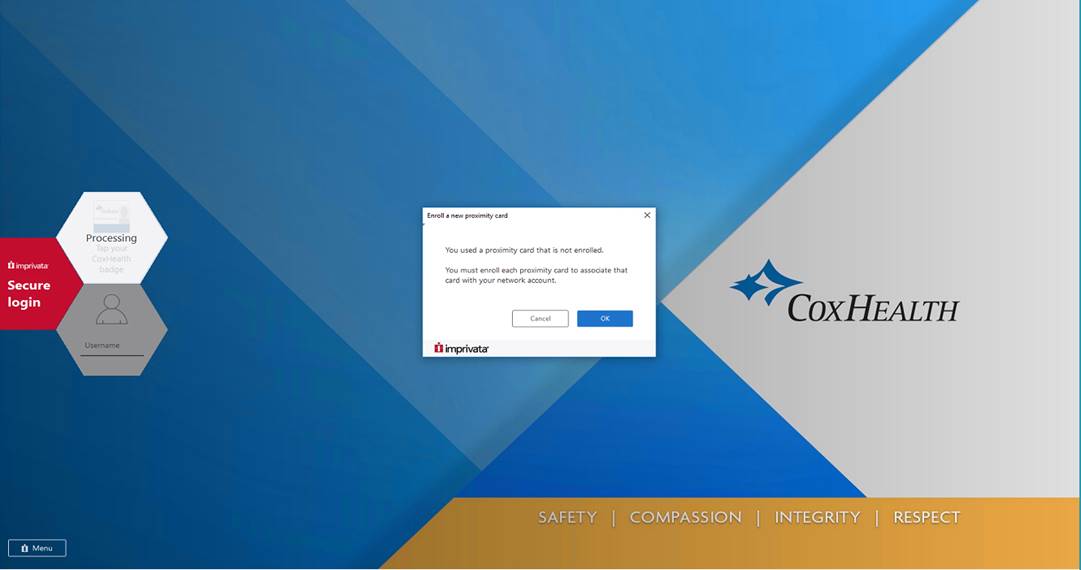
Manually enter your current
username and password and hit ‘Enter’
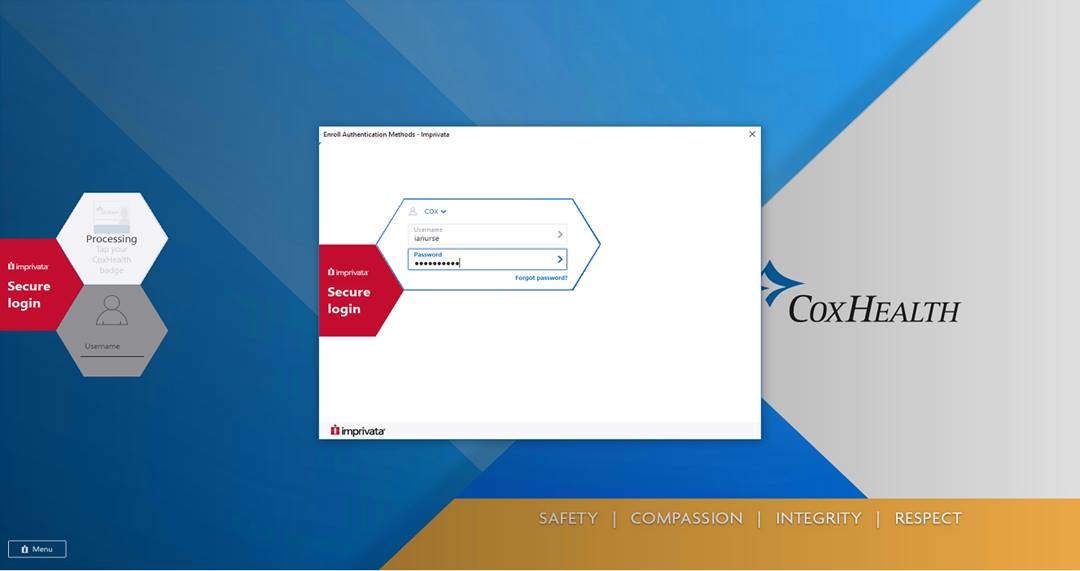
Your badge is now enrolled and you have access to Tap-n-Go. Click ‘Done’.