Non-Cox Owned iOS (iPhone/iPad) Outlook Install Instructions
1. Search the App Store for the Microsoft Outlook app and install.
2. Launch the Outlook app.
3. Enter in your Office 365 username <username>@coxhealth.com, and select Next:
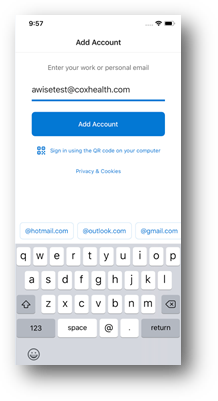
4. Enter in your CoxHealth network password and select Sign In:
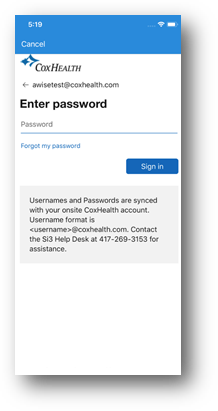
5. Select Ok:
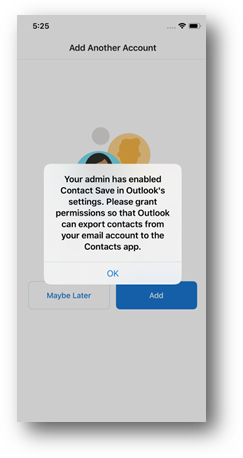
6. Select Ok (If you do not allow this, you will not have CoxHealth contacts on your phone):
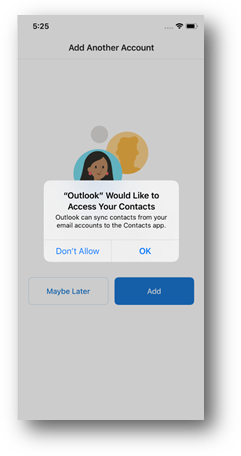
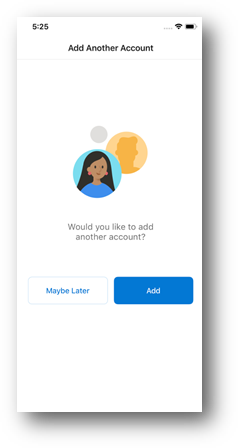
7. Select Maybe Later:
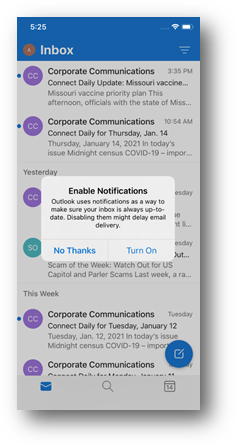
8. Select Turn On:
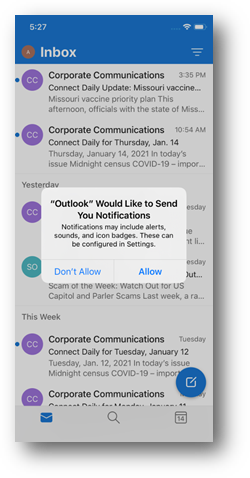
9. Select Allow:
10. Finished!